
AnsweredWindows
How Do I Test My Microphone On Windows 11
- Operating System
- Windows
- Device Type
- Built-in
- Model
- Any microphone
How can I check if my microphone actually works on Windows 11 before a call? I don't want to install anything.
How can I check if my microphone actually works on Windows 11 before a call? I don't want to install anything.
Open Settings, System, Sound, pick your mic under Input and use Test your microphone, or run the free Mic Test in your browser for a live meter.
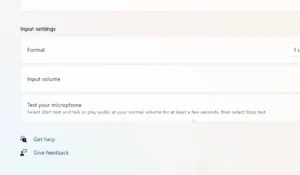
Windows 11 has a simple built-in test, and the browser Mic Test adds a live waveform, peak level and noise reading. Both need no downloads.
A working microphone moves the meter when you talk and drops back near zero when you stop.
 Yuki FujiedaTechnology Expert
If you have more than one microphone, the Windows test only checks the one selected under Input. Switch the input first, then test again.